Quince Classic Dance Template: Watch the BBY WOW Example
Last updated Oct 24, 2026
This 720 × 1280 MP4 was trimmed from a 10-second generation and includes Classic BGM. The preview starts muted; turn on sound to listen. The sample was first published on 2026-10-20.
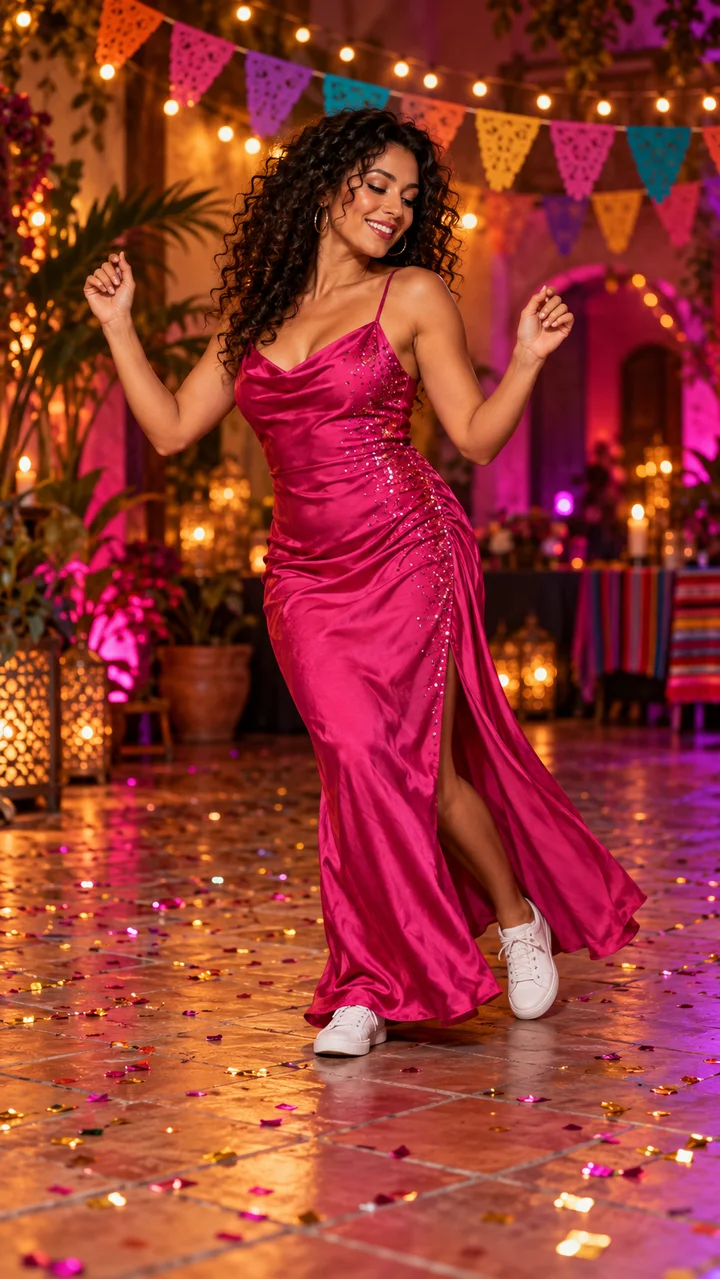
Quince Classic is a fixed photo-to-dance template in Dime Dime Baby AI . It focuses on the BBY WOW cowboy-hat approach, close-up pause, turn and dance away, plus bread-eating and camera-stare effects in a party scene. Your photo supplies the new lead’s face, appearance and outfit.
Create with Quince Classic
The example and the available generation options
| Item | What it shows or requests |
|---|---|
| Video on this page | 9 seconds, 720 × 1280, MP4 with Classic BGM; trimmed from a 10-second result. |
| Matching input | The fictional-adult photo shown below the player. It is the input paired with this example. |
| 5-second option | Your photo and a fixed prompt create a shorter dance interpretation. It is not this example cut down to five seconds. |
| 10-second option | Your photo and the fixed motion reference guide the party scene and movement; short reference motion can continue naturally. |
| Quality choices | 480p or 720p target resolution, with different credit costs. Higher resolution does not guarantee more accurate identity or motion. |
The nine-second sample is an edited demonstration, not an additional duration sold in the generator. It documents this one result, not every duration and quality combination. New generations can differ in faces, hands, clothes, background people and timing.
Choose a photo for this movement
Use one clear, full-body vertical photo with an unobstructed face and visible hands and feet. Leave room around the subject so you can inspect the crop before submitting. Your photo supplies appearance and clothing; it does not guarantee that the original photo background will remain in the reference-guided party scene.
Use your own or an authorized image of a consenting adult or a pet. Pet generation is experimental. Minors, public figures and identity documents are not accepted. Supported formats are JPEG, PNG and WebP, up to 5 MB. The photo checklist explains what to check before spending credits.
Credit costs and delivery
480p: 10 credits for 5 seconds; 15 credits for 10 seconds. 720p: 20 credits for 5 seconds; 30 credits for 10 seconds.Choose enough credits for the selected settings on the pricing page. Packs are one-time purchases and do not renew automatically. Every new submission is a separate paid generation; a slow job is not a reason to submit the same request again.
New completed videos include Classic BGM in the downloaded vertical MP4. Muting the player only affects playback. If you replace the soundtrack elsewhere, mute the original audio first. The service does not supply music licenses or publish to your social accounts.
Questions about Quince Classic
Is the example the original dance footage?
No. It is an AI-generated result made with the matching fictional-adult photo, then trimmed to the displayed duration. It is not footage of that person actually dancing. This independent service has no affiliation with the artist, TikTok, Instagram or YouTube.
Which option should I choose for the party sequence?
Choose 10 seconds for the reference-guided party scene. Choose 5 seconds for a shorter prompt-guided interpretation. The creation link on this page presets Quince Classic, 10 seconds and 480p; you can review and change those settings before generating.
What happens after I submit?
Accepted jobs continue in the background and appear in My creations. A confirmed failure returns the consumed credits; an unresolved result stays under reconciliation. Review the completed video and download it within 30 days of storage. Cash refunds follow the separate Refund Policy.
For the complete upload-to-download walkthrough, read how to make a BBY WOW party video. To compare movements, visit the AI dance video generator guide. Current product facts are on the facts page; questions and reports go to support.