AI Dance Video Generator: Make a Photo Dance
Last updated Oct 24, 2026
An AI dance video generator animates a subject from a still photo. Dime Dime Baby AI offers four fixed dance templates: your photo provides the subject’s appearance and outfit, while the template guides the motion. Choose a 5- or 10-second result in 480p or 720p and download a vertical MP4 with Classic BGM.
This product does not accept arbitrary dance uploads or custom choreography prompts. Start by checking whether one of the four movements matches what you want.
See an actual photo-to-video result
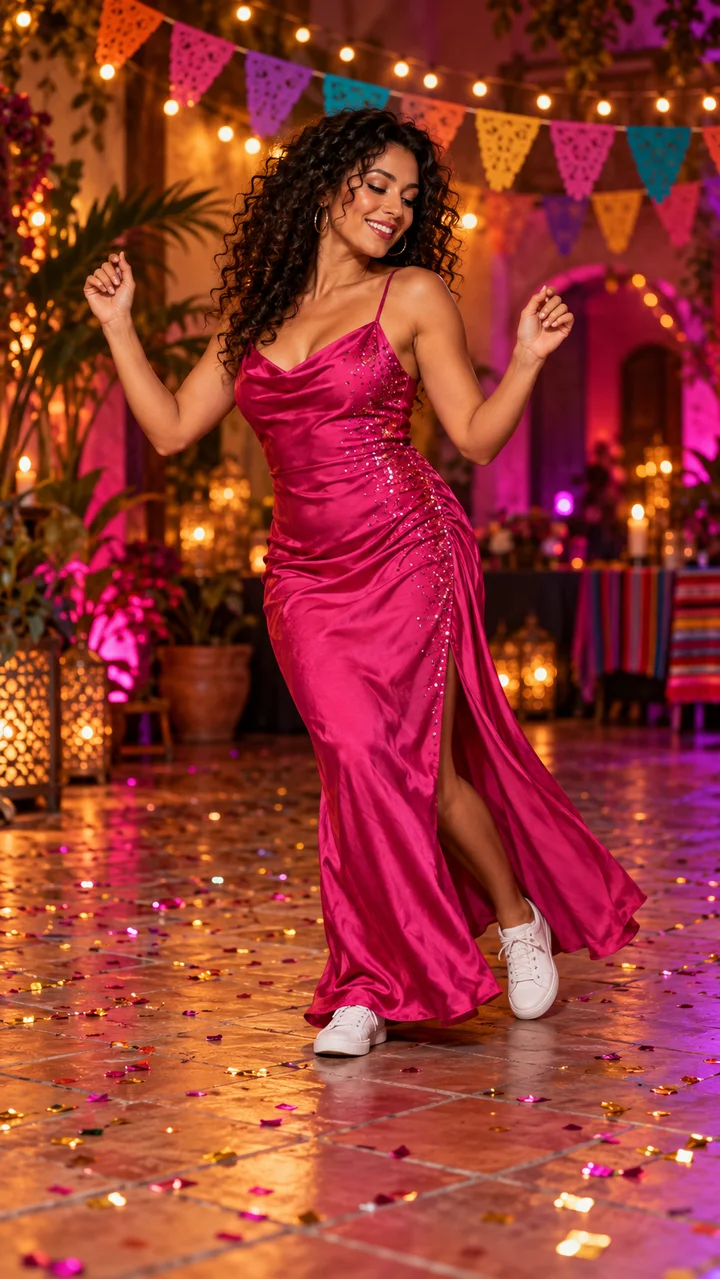
This 720 × 1280 example was trimmed from a 10-second generation. It includes Classic BGM. Results vary with the input photo.
The input and video above are a matched example. The displayed edit is not a promise of identical faces, clothes or movement in every generation. Watch the Quince Classic example and read its specifications.
Compare the four dance templates
| Template | Movement | Photo detail to check |
|---|---|---|
| Quince Classic | The cowboy-hat approach, pause, turn and dance away, with bread-eating and camera-stare effects in a party scene. | One clear subject with face, outfit and full body visible. |
| Party Groove | Easy hand moves and an upbeat shoulder bounce. | Keep the shoulders and hands unobstructed. |
| Camera Bounce | A relaxed bounce with camera-facing hand moves. | Keep the face, upper body and hands clear. |
| Hand Groove | Palms up, hands near the head and a gentle sway. | Leave space around the head and keep both hands visible. |
These are preparation tips, not measured success rates. A full-body vertical image gives you more visible detail to inspect. Preview all four templates and use the photo checklist before spending credits. Pet generation is experimental.
Choose the generation method and quality
| Choice | What it means | What it does not promise |
|---|---|---|
| 5 seconds | Your photo and a fixed template prompt create a short dance interpretation. | It is not a trimmed version of the 10-second reference-based result. |
| 10 seconds | Your photo and a motion reference guide the scene and action. A short reference can continue naturally to the requested duration. | Extra seconds are newly generated, not recovered original footage. |
| 480p or 720p | Choose the output target and review the corresponding credit cost. | A higher resolution does not guarantee better identity preservation, anatomy or choreography. |
Both methods deliver a vertical 9:16 MP4. New videos include Classic BGM; the preview starts muted, but the downloaded file contains the music. The service does not supply music licenses. Check your rights before publishing or replacing the audio.
What it costs
The $9.99 USD pack includes 15 credits. 480p: 10 credits for 5 seconds; 15 credits for 10 seconds. 720p: 20 credits for 5 seconds; 30 credits for 10 seconds.
The entry pack covers a 480p generation; 720p needs more credits. Packs are one-time purchases, without automatic renewal. Each new submission uses the displayed credit cost. Compare all current packs or read the duration and template guide.
Make your photo dance
- Select a fixed template after watching its preview.
- Upload one JPEG, PNG or WebP image, up to 5 MB. Use your own or an authorized photo of a consenting adult or a pet; minors, public figures and identity documents are not accepted.
- Check the vertical crop, select the duration and quality, and review the credit cost.
- Sign in, confirm permission and submit once. Accepted jobs continue in the background in My creations.
- Review the finished video and download it within its 30-day storage window. You publish the file yourself.
Try Quince Classic with your photo
Questions before you start
Is this a free photo animation tool?
Generating requires sign-in and sufficient credits. Review the current credit packs and selected cost before submitting; this page does not offer unlimited free generation.
Can I use it like a video editing template?
This service generates new motion from a photo. An editing template arranges media you already have. Choose this product when you want the pictured subject to perform one of these fixed movements, rather than edit existing footage.
What if the result is slow or looks different?
A slow or unknown result remains under reconciliation; follow the existing job instead of resubmitting immediately. Confirmed failures return the consumed credits. A completed result can differ from your expectations and is not automatically a technical failure. Cash refunds require review under the Refund Policy.
For a step-by-step party video, use the BBY WOW guide. For current identity, privacy and specification details, see product facts. Questions can go to support.